Contact requests straight into your CRM
Contact via the website → email goes out, records are created in SuiteCRM, message to the partner team.
 Tally
- Create account, contact, case SuiteCRM
- Send confirmation email Email account
- Notify sales team
 Matrix
*
This automation runs for the konnek team. If you fill in the partner form on our website, this is the journey your message takes: an email goes out, your request is saved in SuiteCRM, and the team gets a message in Matrix that you have contacted us.
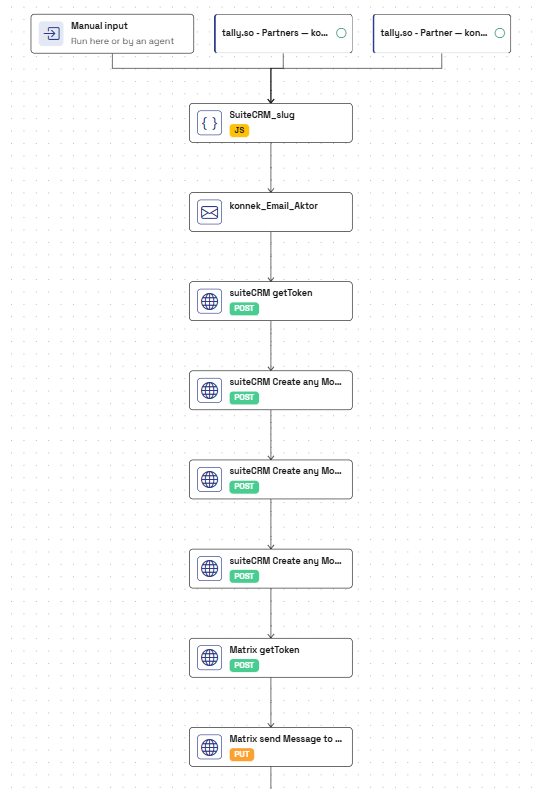
The KonnektorKonnektors are your automations: aktors that run one after another.More on the product page has two Tally forms as its TriggerA trigger starts a process. That can be you, the agent or an external webhook.More on the product page . Both pass on the data entered. As always, this process can also be started by hand, with real data or test data.
JavaScript creates an ID
The first step is a AktorThe aktor is the smallest step of a process. It calls a tool over HTTP, sends an email or runs your own JavaScript.More on the product page . It takes the company’s and the person’s name and builds an ID for each from them. In our case, a company ID only consists of letters, digits and hyphens.
Why do we do this? It provides us with a unique ID we control and which can be reused in different systems, as a unique identifier of the person and the company. This is the basis for every good automation.
Also, it’s a nice example of the multi-purpose tool JavaScript: almost anything can be built. And users don’t need to write it themselves. Our AgentThe agent reads your tools' documentation and builds aktors and konnektors from it.More on the product page creates JavaScript for them; all they have to do is say what they want.
Sending an email
The AktorThe aktor is the smallest step of a process. It calls a tool over HTTP, sends an email or runs your own JavaScript.More on the product page sends an email with the details. It goes out first, before anything is saved in the CRM.
Creating records in SuiteCRM
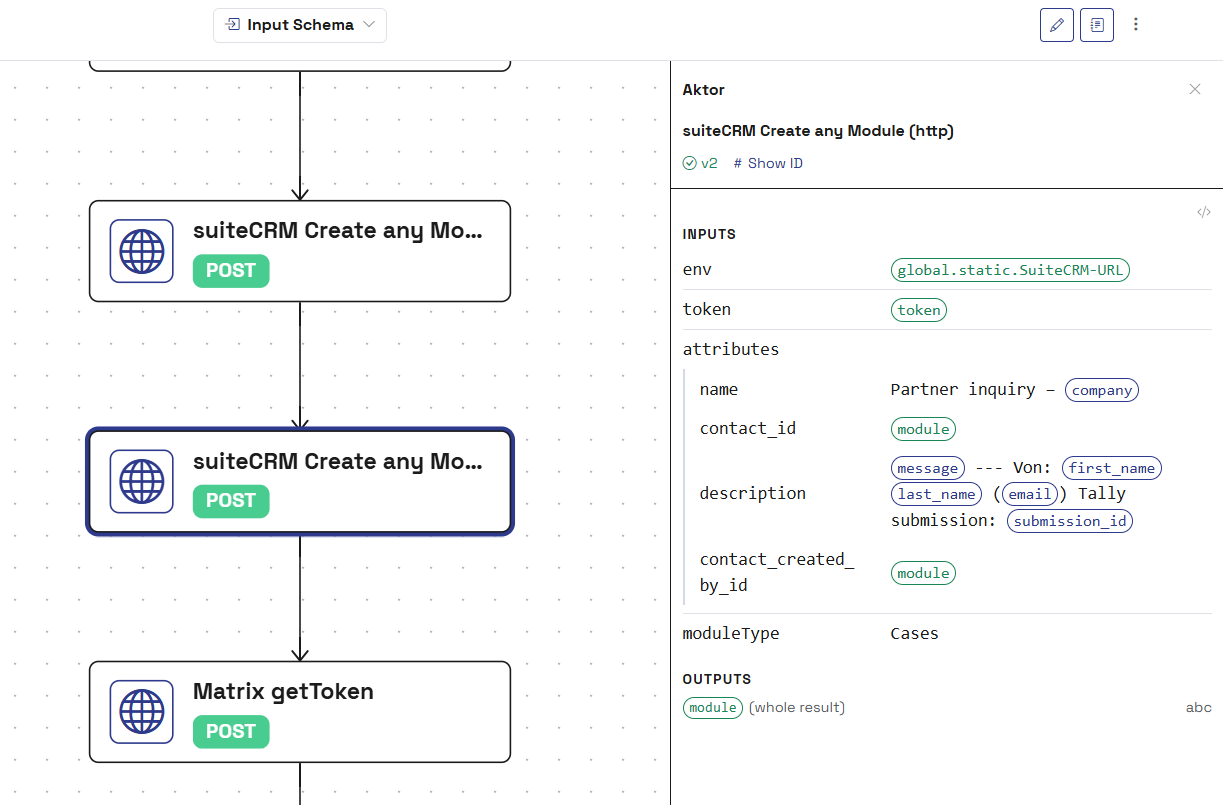
Next, a token for SuiteCRM is requested. Once that works, a AktorThe aktor is the smallest step of a process. It calls a tool over HTTP, sends an email or runs your own JavaScript.More on the product page creates three kinds of records (modules), one after another. A record is, for instance, a company account. When setting up the step, users decide which module to create. In this use case it’s these three:
- Account
- Contact
- Case
Each step passes the ID of the record it just created to the next one, so the three records end up linked.
Tell the team in Matrix
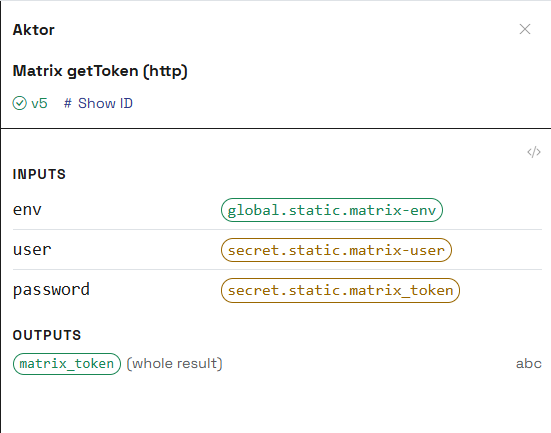
After retrieving a token, a message is posted in the partner channel, informing the relevant team members of the new partner request.
Tools in this flow
Swap any of them.
- Tally Belgium Typeform instead of Tally
- SuiteCRM United Kingdom Odoo instead of SuiteCRM HubSpot instead of SuiteCRM
- Matrix
*
Open Standard Nextcloud instead of Matrix Slack instead of Matrix
Your process not listed?
Happy to show you how konnek can automate your specific workflow.
Talk to us