Event registrations, captured automatically
Registration via Tally → entry in Baserow, confirmation email.
 Tally
Tally- Add Baserow entry Baserow
- Send confirmation email Email account
The Dialograum initiative runs every registration for its events through this konnektor. Here’s how it’s built and what each step does.
The konnektor at a glance
A konnektor is a process automation: aktors that run one after another. An aktor is the smallest step, such as a call to an API (say, adding a row to a table) or sending an email. The product page has more on both.
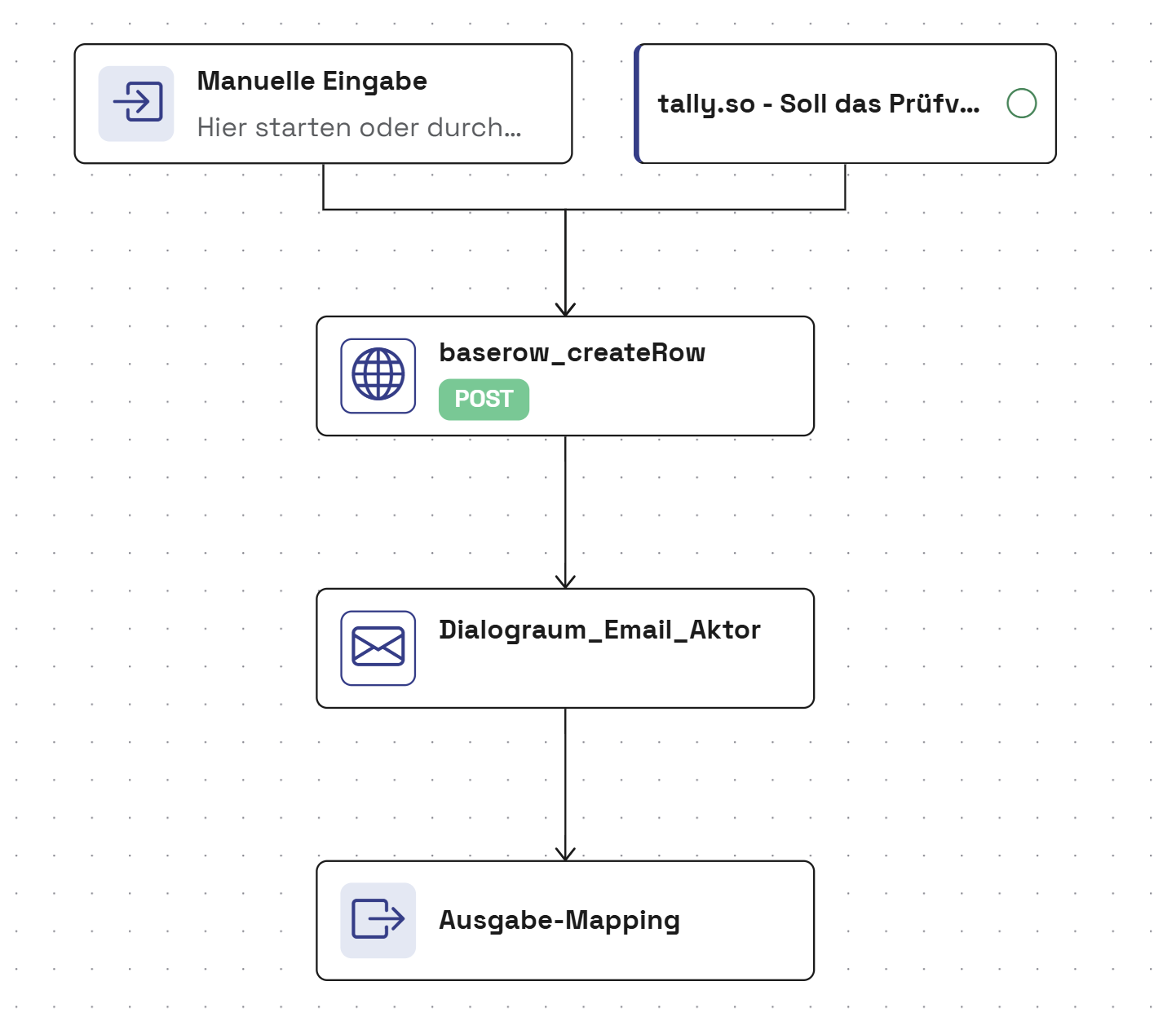
Like every konnektor, this one can be started by hand, with real data or test data. Most of the time, though, it starts from a Tally form.
Save the registration in Baserow
baserow_createRow is an HTTP aktor. It’s already built, so you can drop it straight into a konnektor. So what does it actually do? It sends a POST request to the Baserow API, which adds a new row to the table. It needs four inputs:
base_urlis the address of the Baserow API, herehttps://api.baserow.io.table_idpicks the table the registration goes into.rows_inputsets which answer from the form goes into which field of the table.database_tokenis the access key for Baserow. It’s stored in konnek’s secrets, and the aktor only refers to it.
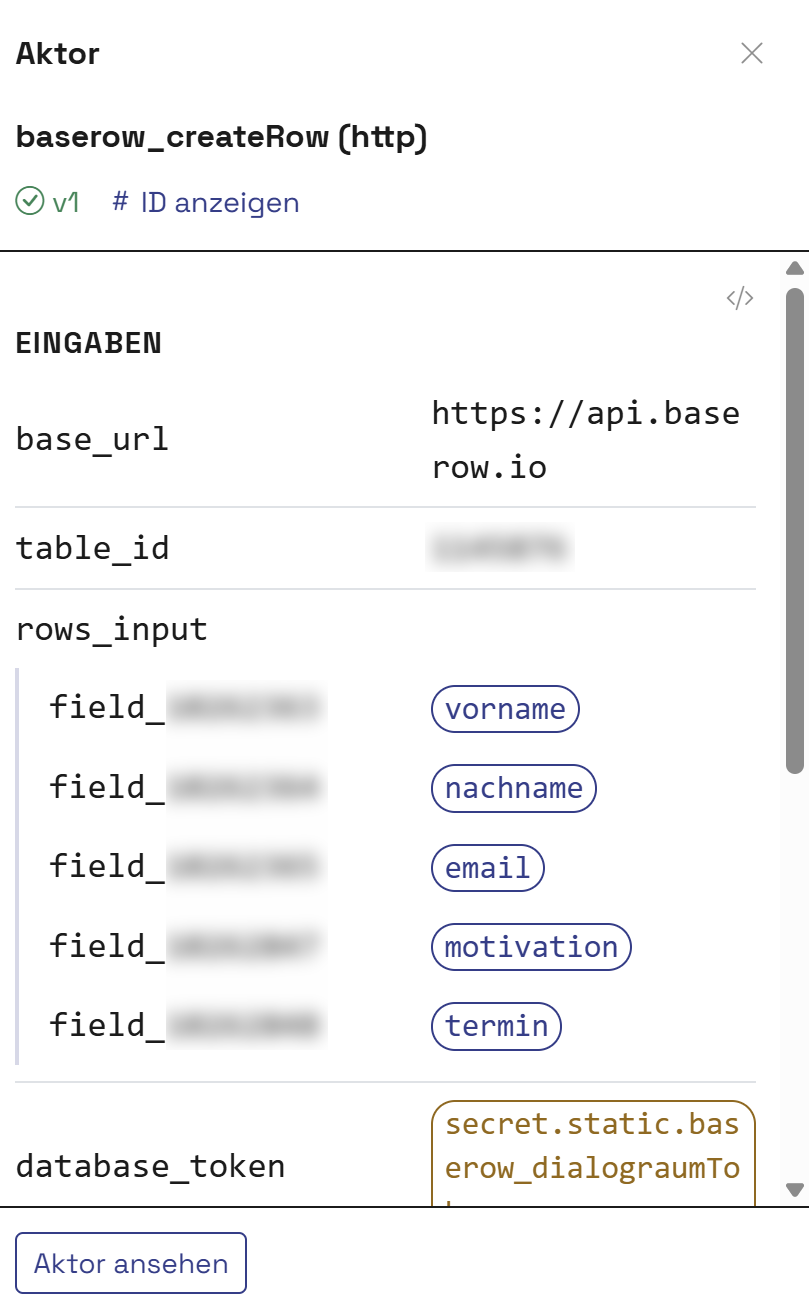
The API names each Baserow field field_ followed by a number. You don’t have to work out which answer belongs in which field. The agent does that for you:
- Once the Tally form is connected, konnek knows its fields.
- A separate aktor fetches all the fields of the Baserow table. You only say which table the data should go into.
- The agent compares the two lists and maps each answer to its field in Baserow. All you do at the end is confirm it.
Send the confirmation
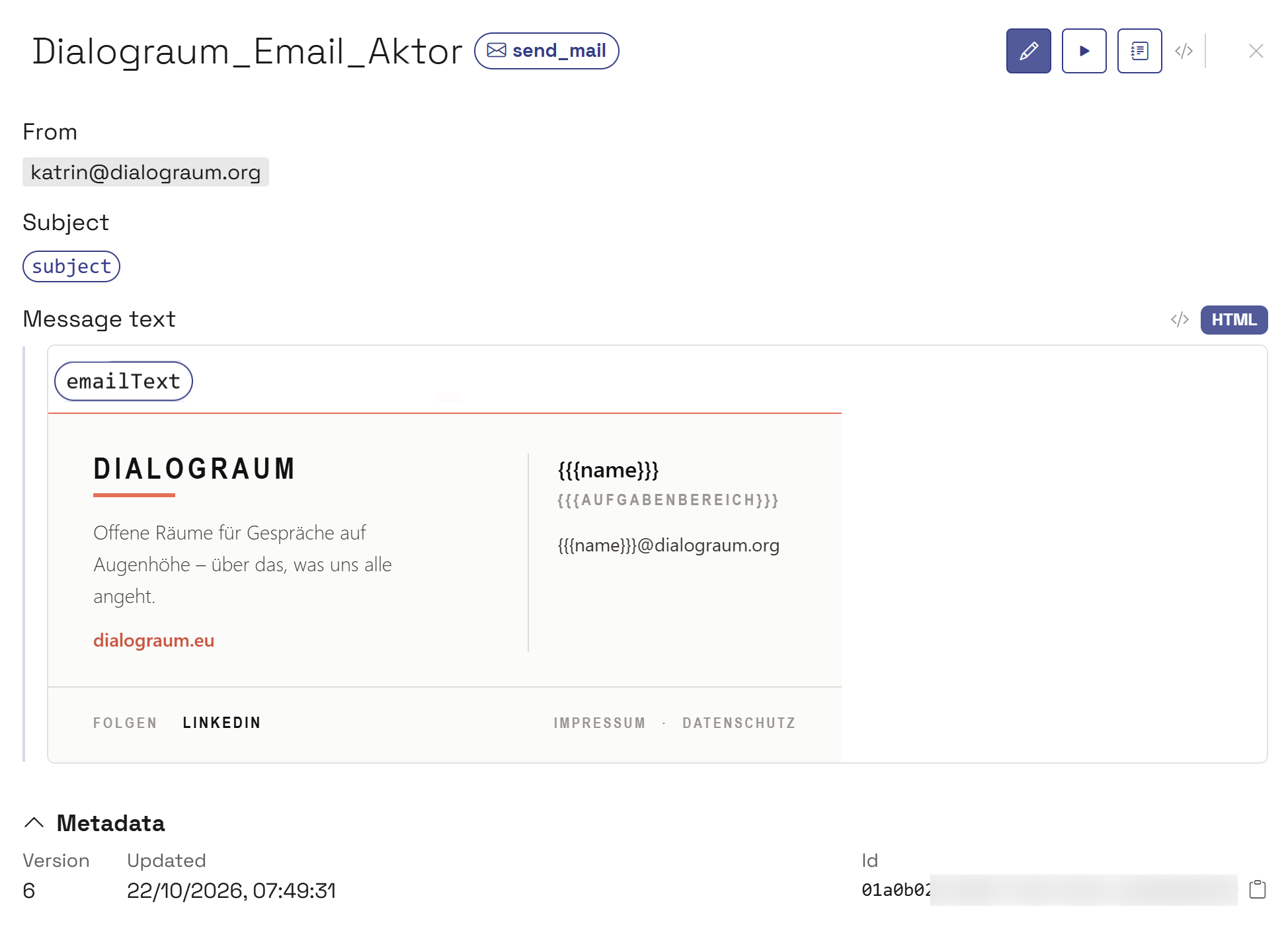
An email aktor makes sending emails easy and flexible. The sender, subject and text are set in the step itself. The person’s name and email address come from the form.
Plain-text emails work fine. If you want your emails to match your brand, paste in HTML and send polished, professional messages. Here, everyone who registers gets a confirmation with a footer in Dialograum’s design: logo, website link, signature, and links to LinkedIn, the legal notice and the privacy policy.
Output mapping
You can always pass the information that matters on to the last step, the output mapping. Here, that could be the new row in the table and perhaps the time the email went out. The output mapping is optional, but it’s useful for your reporting or for processes that build on this one.
Tools in this flow
Swap any of them.
- Tally Belgium Typeform instead of Tally
- Baserow Netherlands SeaTable instead of Baserow Airtable instead of Baserow
Your process not listed?
Happy to show you how konnek can automate your specific workflow.
Talk to us